

Introduction
API Production:
"https://api.telleroo.com"
"https://api.telleroo.com"
API Sandbox:
"https://sandbox.telleroo.com"
"https://sandbox.telleroo.com"
Welcome to the Telleroo Partner API documentation. This documentation provides you a step by step guide on connecting your application to Telleroo using OAuth 2.0. Once connected you will be able to create payees and draft pay runs on behalf of companies/accountants once they've granted you permission.
Overview
How does it work?
Here’s an overview of the structure of the API:
| API endpoint | Description |
|---|---|
| /companies | Returns unique ID, name, status and if it is a test company or not |
| /accounts | Returns unique ID including current available balance in pence/cents (e.g. 100 equals 1 GBP/EUR). |
| /payruns | Creates (POST) or submits (PATCH) a pay run request from a selected account to one or more payees. |
| /payruns/{id} | Returns (GET) or deletes (DELETE) a single pay run. |
Authentication
All API requests are made over HTTPS. To make calls to the API you must add a key named 'Authorization' to the HTTP request header containing the Authorization Token. API requests over plain HTTP or without authentication will fail.
After we provide you with your CLIENT_ID and CLIENT_SECRET you can use them to get access tokens for each individual user account.
Authorization Code Flow
The authorization code flow basically consists of exchanging an authorization token for an access token.
To get your CLIENT_ID and CLIENT_SECRET please get in contact with Telleroo.
Register client app
For the registration process you will need to provide a callback url.
Something like https://your.domain.com/oauth/callback
(This is where you will get to know if the user authorized or not the connection with Telleroo and receive the authorization code in case he did authorized)
After we get your app registered you will be provided a client_id and a client_secret
Get in contact with Telleroo support to get your app registered.
Request authorization
Once you have your client app registered you can start requesting authorization tokens for each one of your users.
You should provide your user with a link pointing to:
https://admin.telleroo.com/oauth?client_id=CLIENT_ID&redirect_uri=<ESCAPED_CALLBACK_URL>&response_type=code&scope=create
For this case only! when testing at sandbox please replace admin.telleroo.com with sandbox.app.telleroo.com
Note that, for all other regular sandbox api interactions, the url to use will be sandbox.telleroo.com (without the .app)
For testing purposes you can manually visit the authorization request url.
When visiting it, if user is not logged in to Telleroo he will be asked to do so.
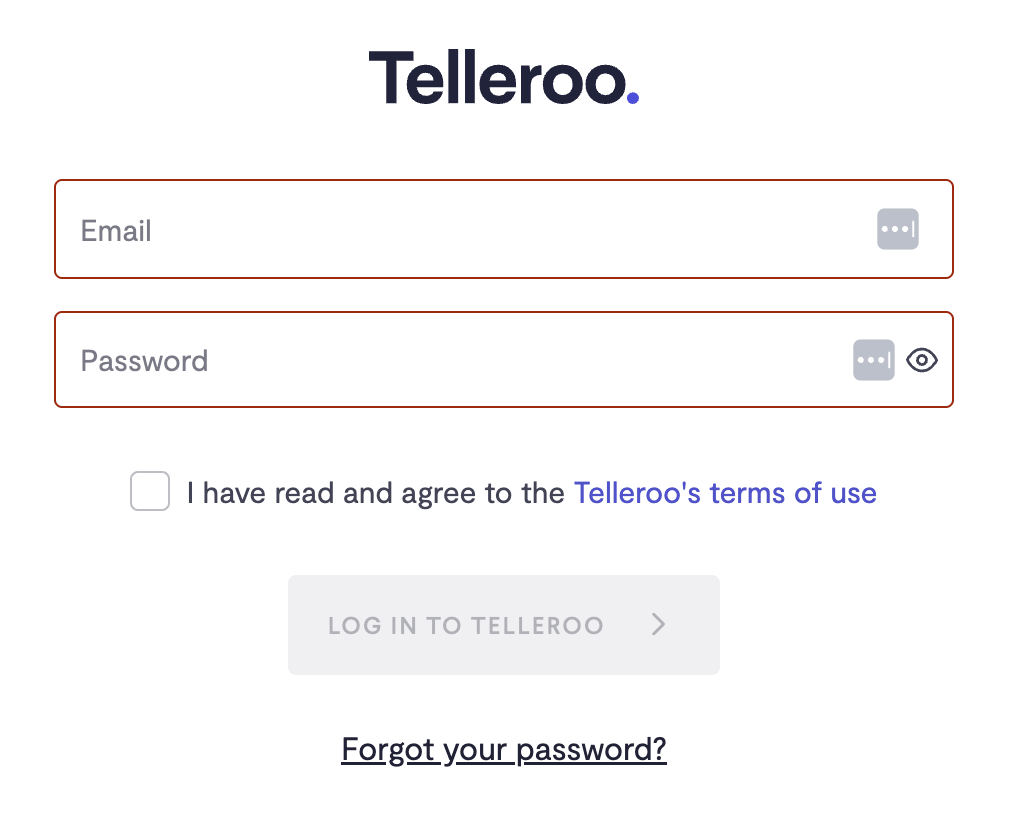
After the user signs in he will be sent to the authorization page and should then click the Allow Access button
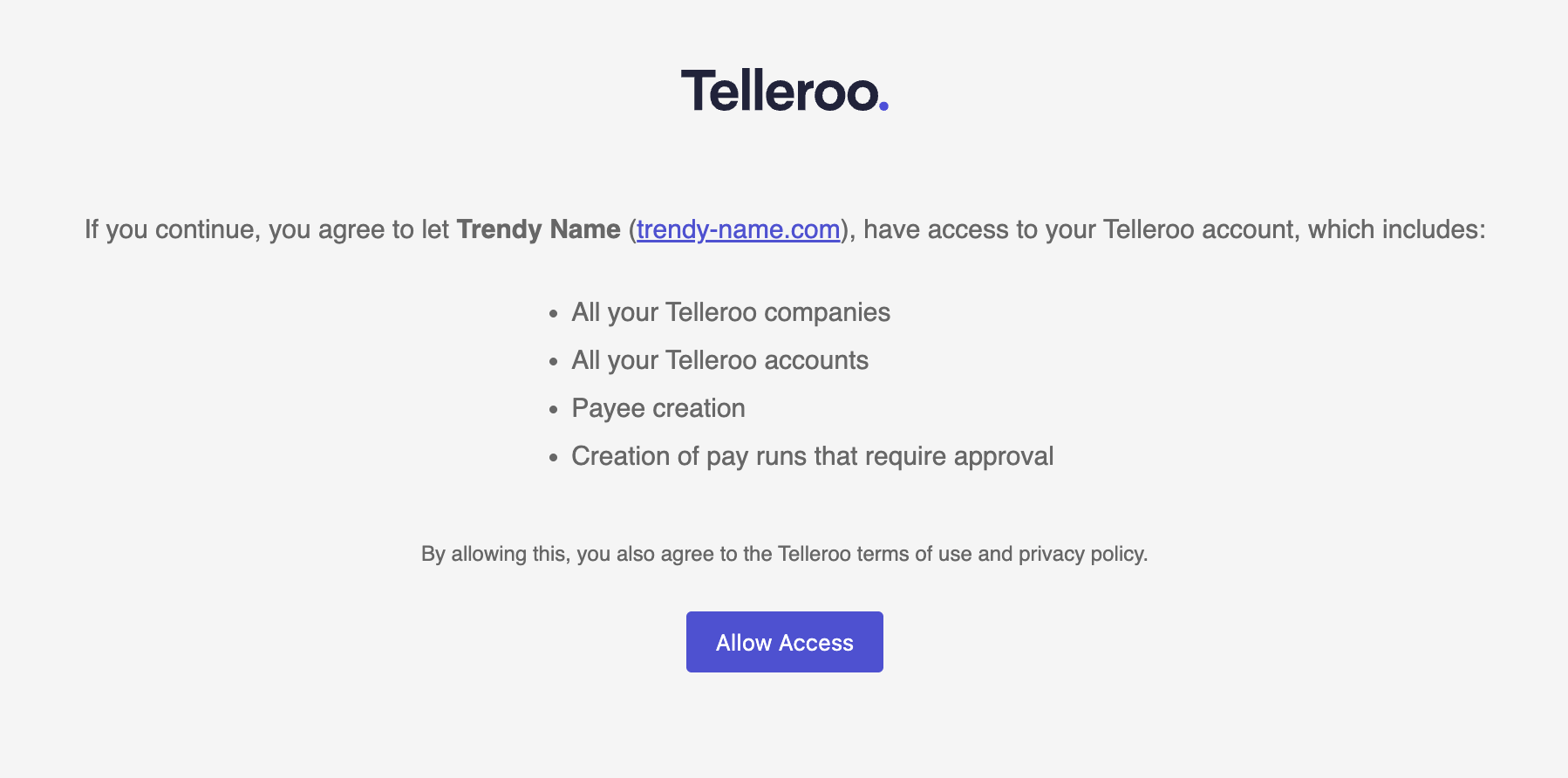
After clicking Allow Access he will be redirected to the callback_url with a param named code containing the authorization token.
Revoke authorization
If you or one of your users wants to remove any previously requested authorization you can use this endpoint for that.
curl "https://api.telleroo.com/oauth/authorize" \
  -H "Accept: application/vnd.telleroo.v3" \
  -H "Authorization: Bearer ACCESS_TOKEN" \
  -d client_id="..." \
  -d redirect_uri="..." \
  -d response_type="code" \
  -d scope="..." \
  -X DELETE
require 'httparty'
HTTParty.delete "https://api.telleroo.com/oauth/authorize",
                headers: {
                  accept: 'application/vnd.telleroo.v3',
                  authorization: "Bearer #{ACCESS_TOKEN}"
                },
                query: {
                  client_id: '...',
                  redirect_uri: '...',
                  response_type: 'code',
                  scope: '...'
                }
delete oauth_authorization_path, headers: single_company_signed_in_headers, params: { client_id: application1.uid, redirect_uri: application1.redirect_uri, response_type: "code", scope: application.scopes }
The above command returns JSON structured like this:
{
  'access_token':  "-bMP_ZIMKCKkFjDh-jCRsnhcEhLSdLlzMhH5dWElwx8",
  'token_type':    "Bearer",
  'expires_in':    7200,
  'refresh_token': "s5EaaFTZTAbl1l7zqg8HXhJSSFX1SFAMn1YxCJEsAlc",
  'scope':         "create",
  'created_at':    1563771426
}
To request the access token you need to use the returned code and exchange it for an access and refresh tokens.
HTTP request
POST https://api.telleroo.com/oauth/token
For sandbox use:
POST https://sandbox.telleroo.com/oauth/token
Query parameters
| Parameter | Type | Description |
|---|---|---|
| client_id | String | Your client_id |
| client_secret | String | Your client_secret |
| code | String | The code returned in the redirect_uri(your callback url) |
| grant_type | String | Constant value "authorization_code" |
| redirect_uri | String | Your callback_url |
Request the access token
Make sure to replace CLIENT_ID, CLIENT_SECRET, CODE and CALLBACK_URL
curl "https://api.telleroo.com/oauth/token" \
  -H "Content-Type: application/x-www-form-urlencoded" \
  -d client_id="CLIENT_ID" \
  -d client_secret="CLIENT_SECRET" \
  -d code="CODE" \
  -d grant_type="authorization_code" \
  -d redirect_uri="CALLBACK_URL" \
  -X POST
require 'httparty'
HTTParty.post 'https://api.telleroo.com/oauth/token',
               query: {
                 client_id:     "CLIENT_ID",
                 client_secret: "CLIENT_SECRET",
                 code:          "CODE",
                 grant_type:    'authorization_code',
                 redirect_uri:  "CALLBACK_URL"
               }
The above command returns JSON structured like this:
{
  'access_token':  "-bMP_ZIMKCKkFjDh-jCRsnhcEhLSdLlzMhH5dWElwx8",
  'token_type':    "Bearer",
  'expires_in':    7200,
  'refresh_token': "s5EaaFTZTAbl1l7zqg8HXhJSSFX1SFAMn1YxCJEsAlc",
  'scope':         "create",
  'created_at':    1563771426
}
To request the access token you need to use the returned code and exchange it for an access and refresh tokens.
HTTP request
POST https://api.telleroo.com/oauth/token
For sandbox use:
POST https://sandbox.telleroo.com/oauth/token
Query parameters
| Parameter | Type | Description |
|---|---|---|
| client_id | String | Your client_id |
| client_secret | String | Your client_secret |
| code | String | The code returned in the redirect_uri(your callback url) |
| grant_type | String | Constant value "authorization_code" |
| redirect_uri | String | Your callback_url |
Refresh the access token
Make sure to replace CLIENT_ID, CLIENT_SECRET and REFRESH_TOKEN
curl "https://api.telleroo.com/oauth/token" \
  -H "Content-Type: application/x-www-form-urlencoded" \
  -d client_id="CLIENT_ID" \
  -d client_secret="CLIENT_SECRET" \
  -d grant_type="refresh_token" \
  -d refresh_token="REFRESH_TOKEN" \
  -X POST
HTTParty.post "https://api.telleroo.com/oauth/token",
              query: {
                client_id:     "CLIENT_ID",
                client_secret: "CLIENT_SECRET",
                grant_type:    "refresh_token",
                refresh_token: "REFRESH_TOKEN"
              }
The above command returns JSON structured like this:
{
  'access_token'  : "33i-QyTx-K5nO9zj5KTTww_mEGcCi8LtFjj70_5yVmg",
  'token_type'    : "Bearer",
  'expires_in'    : 7200,
  'refresh_token' : "ylrbX7RQpJHQ4_nybsXmS-sRooeGOvzkTAop7fLlvsQ",
  'created_at'    : 156386128
}
Access tokens have a limited life span (2 hours). To request a new access token you need to use the current refresh token you got and exchange it for a new access and refresh tokens pair.
HTTP request
POST https://api.telleroo.com/oauth/token
For sandbox use:
POST https://sandbox.telleroo.com/oauth/token
Query parameters
| Parameter | Type | Description |
|---|---|---|
| client_id | String | Your client_id |
| client_secret | String | Your client_secret |
| grant_type | String | Constant value "refresh_token" |
| refresh_token | String | Your current refresh_token |
API Authentication
Authorization is done with a regular Authorization Bearer using the current ACCESS_TOKEN:
Authorization: "Bearer ACCESS_TOKEN"
API versions
If no version is selected, the request will default to api v1 that is not compatible with v3 and cause your requests to fail. You must select this version, by including the correct Accept header.
curl "https://api.telleroo.com/accounts" \
  -H "Accept: application/vnd.telleroo.v3" \
  -H "Authorization: Bearer ACCESS_TOKEN" \
  -X GET
require 'httparty'
HTTParty.get 'https://api.telleroo.com/accounts',
             headers: {
               accept: 'application/vnd.telleroo.v3',
               authorization: "Bearer #{ACCESS_TOKEN}"
             }
The API version you choose influences the request parameters format and the JSON responses you get.
When we change the API in a non backwards compatible way, we warn you in advance so that you have time to set the version you want to use until you decide to upgrade.
Companies
Get All Companies
Make sure to replace ACCESS_TOKEN
curl "https://api.telleroo.com/companies" \
  -H "Accept: application/vnd.telleroo.v3" \
  -H "Authorization: Bearer ACCESS_TOKEN" \
  -d per_page=25 \
  -d page=1 \
  -X GET
require 'httparty'
HTTParty.get "https://api.telleroo.com/companies",
             headers: {
               accept: 'application/vnd.telleroo.v3',
               authorization: "Bearer #{ACCESS_TOKEN}"
             },
             query: {
               per_page: 25,
               page: 1
             }
The above command returns the following pagination information included in the HEADER
  'Per-Page': "25",
  'Total': "50",
  'Link': "<http://api.telleroo.com/companies?page=1&per_page=25>; rel=\"first\", <http://api.telleroo.com/companies?page=1&per_page=25>; rel=\"prev\"",
and JSON structured like this:
{
  'companies': [
    {
      'id': "3a6d7e58-0869-4c62-9f2c-b8c2a7574a75",
      'name': "Company A",
      'test_company': false,
      'status': "approved"
    },
    ...
  ]
}
This retrieves all companies the user has access too.
HTTP request
GET https://api.telleroo.com/companies
Header
| Parameter | Type | Description |
|---|---|---|
| Accept | String | The api version constant "application/vnd.telleroo.v3". |
| Authorization | String | The Bearer with access token. |
Query parameters
| Parameter | Type | Description | Optional |
|---|---|---|---|
| per_page | Integer | How many results you want to get per page | optional |
| page | Integer | Select the results page you want to get | optional |
Get a Specific Company
Make sure to replace ACCESS_TOKEN
curl "https://api.telleroo.com/companies/3a6d7e58-0869-4c62-9f2c-b8c2a7574a75" \
  -H "Accept: application/vnd.telleroo.v3" \
  -H "Authorization: Bearer ACCESS_TOKEN" \
  -X GET
require 'httparty'
HTTParty.get "https://api.telleroo.com/companies/3a6d7e58-0869-4c62-9f2c-b8c2a7574a75",
             headers: {
               accept: 'application/vnd.telleroo.v3',
               authorization: "Bearer #{ACCESS_TOKEN}"
             }
The above command returns JSON structured like this:
{
  'company': {
    'id': "3a6d7e58-0869-4c62-9f2c-b8c2a7574a75",
    'name': "Company A",
    'test_company': false,
    'status': "approved"
  }
}
Retrieves single company by id in URL path.
HTTP request
GET https://api.telleroo.com/companies/{id}
Header
| Parameter | Type | Description |
|---|---|---|
| Accept | String | The api version constant "application/vnd.telleroo.v3". |
| Authorization | String | The Bearer with access token. |
Url parameters
| Parameter | Type | Description |
|---|---|---|
| id | String | The company's unique ID. |
Accounts
Get All Accounts
Make sure to replace ACCESS_TOKEN
curl "https://api.telleroo.com/accounts" \
  -H "Accept: application/vnd.telleroo.v3" \
  -H "Authorization: Bearer ACCESS_TOKEN" \
  -d company_id="3a6d7e58-0869-4c62-9f2c-b8c2a7574a75" \
  -d per_page=25 \
  -d page=1 \
  -X GET
require 'httparty'
HTTParty.get "https://api.telleroo.com/accounts",
             headers: {
               accept: 'application/vnd.telleroo.v3',
               authorization: "Bearer #{ACCESS_TOKEN}"
             },
             query: {
               company_id: '3a6d7e58-0869-4c62-9f2c-b8c2a7574a75',
               per_page: 25,
               page: 1
             }
The above command returns the following pagination information included in the HEADER
  'Per-Page': "25",
  'Total': "50",
  'Link': "<http://api.telleroo.com/companies?page=1&per_page=25>; rel=\"first\", <http://api.telleroo.com/companies?page=1&per_page=25>; rel=\"prev\", <http://api.telleroo.com/companies?page=2&per_page=25>; rel=\"next\"",
and JSON structured like this:
{
  'accounts': [
    {
      'id': "7e583a6d-0869-4c62-9f2c-74a75b8c2a75",
      'name': "client account",
      'currency': "GBP",
      'balance': 500,
      'awaiting_funds_balance': 640,
      'awaiting_approval_balance': 100,
      'account_no': "12345678",
      'sort_code': "123456",
      'tag': "UK Marketplace"
    },
    ...
  ]
}
This retrieves all bank accounts assigned to the companies the user can access too.
HTTP request
GET https://api.telleroo.com/accounts
Header
| Parameter | Type | Description |
|---|---|---|
| Accept | String | The api version constant "application/vnd.telleroo.v3". |
| Authorization | String | The Bearer with access token. |
Query parameters
| Parameter | Type | Description | Optional |
|---|---|---|---|
| company_id | String | Filter by company ID. | optional |
| per_page | Integer | How many results you want to get per page | optional |
| page | Integer | Select the results page you want to get | optional |
Get a Specific Account
Make sure to replace ACCESS_TOKEN
curl "https://api.telleroo.com/accounts/7e583a6d-0869-4c62-9f2c-74a75b8c2a75" \
  -H "Accept: application/vnd.telleroo.v3" \
  -H "Authorization: Bearer ACCESS_TOKEN" \
  -X GET
require 'httparty'
HTTParty.get "https://api.telleroo.com/accounts/7e583a6d-0869-4c62-9f2c-74a75b8c2a75",
             headers: {
               accept: 'application/vnd.telleroo.v3',
               authorization: "Bearer #{ACCESS_TOKEN}"
             }
The above command returns JSON structured like this:
{
  'account': {
    'id': "7e583a6d-0869-4c62-9f2c-74a75b8c2a75",
    'name': "client account",
    'currency': "GBP",
    'balance': 500,
    'awaiting_funds_balance': 640,
    'awaiting_approval_balance': 100,
    'account_no': "12345678",
    'sort_code': "123456",
    'tag': "UK Marketplace"
  }
}
Retrieves single account by id in URL path.
HTTP request
GET https://api.telleroo.com/accounts/{id}
Header
| Parameter | Type | Description |
|---|---|---|
| Accept | String | The api version constant "application/vnd.telleroo.v3". |
| Authorization | String | The Bearer with access token. |
Url parameters
| Parameter | Type | Description |
|---|---|---|
| id | String | The account's unique ID. |
Pay runs
Pay run introduction
A pay run is a batch of payments on Telleroo. To create and submit a pay run there is a 2 step process.
Step 1 - Create pay run
Add all the payments you want to make and send to /payruns. We will then respond with three arrays:
initialized_payments and accepted_payments - All these payments have been validated (In the background we will move all initialized payments to accepted)
rejected_payments - Payments that are invalid
You can submit as soon as we reply with our response.
If you want to give feedback to your clients we recommend using the rejected_payments array to show the invalid payments and reasons.
Step 2 - Submit pay run
If you are happy with the initialized_payments and rejected_payments results, then you can now submit the pay run to Telleroo for your clients approval.
Idempotent Key
When a idempotent key is reused on a different pay run
curl "https://api.telleroo.com/payruns" \
  -H "Accept: application/vnd.telleroo.v3" \
  -H "Authorization: Bearer ACCESS_TOKEN" \
  -d account_id="ed5af7d2-741c-4905-a3ba-66d332d604" \
  -d idempotent_key="SOME_KEY_THAT_WAS_PREVIOUSLY_USED_AT_ANOTHER_PAY_ROLL_CREATION_REQUEST" \
  -d payees_type="PRIVATE" \
  -d payments_reason="payroll" \
  -d name="June Salaries" \
  -d scheduled_for="2020-03-17T18:05:45+00:00" \
  -d payments='[{"amount":120,"payee_name":"John Cookson","account_no":"12345678","sort_code":"123456","reference":"Payslip June","idempotent_key":"your-unique-id-for-first-row","deeplink":{"payment":"https://your.app.domain/payruns/123/payments/324","payee":"https://your.app.domain/payees/23"}},{"amount":100,"payee_name":"Andrew Archer","account_no":"87654321","sort_code":"654321","reference":"Payslip June","idempotent_key":"your-unique-id-for-second-row"},"deeplink":{"payment":"https://your.app.domain/payruns/123/payments/325","payee":"https://your.app.domain/payees/27"}]' \
  -X POST
require 'httparty'
HTTParty.post 'https://api.telleroo.com/payruns',
              headers: {
                accept: 'application/vnd.telleroo.v3',
                authorization: "Bearer #{ACCESS_TOKEN}"
              },
              query: {
                account_id: 'ed5af7d2-741c-4905-a3ba-66d332d604',
                idempotent_key: 'SOME_KEY_THAT_WAS_PREVIOUSLY_USED_AT_ANOTHER_PAY_ROLL_CREATION_REQUEST',
                payees_type: 'PRIVATE',
                payments_reason: 'payroll',
                name: 'June Salaries',
                use_schedule: true,
                scheduled_for: '2020-03-17T18:05:45+00:00'
                payments: [
                  {
                    amount: 120,
                    payee_name: 'John Cookson',
                    account_no: '12345678',
                    sort_code: '123456',
                    reference: 'Payslip June',
                    idempotent_key: 'your-unique-id-for-first-row',
                    deeplink: {
                      payment: 'https://your.app.domain/payruns/123/payments/324',
                      payee: 'https://your.app.domain/payees/23'
                    }
                  },
                  {
                    amount: 100,
                    payee_name: 'Andrew Archer',
                    account_no: '87654321',
                    sort_code: '654321',
                    reference: 'Payslip June',
                    idempotent_key: 'your-unique-id-for-second-row',
                    deeplink: {
                      payment: 'https://your.app.domain/payruns/123/payments/325',
                      payee: 'https://your.app.domain/payees/27'
                    }
                  }
                ],
                deeplink: {
                  payrun: "https://your.app.domain/payruns/123"
                }
              }
The above command returns a a 409 CONFLICT http status code. and a JSON response containing the original pay run that was created using that idempotency key:
{
  'payrun': {
    'id': "783aefd4-cdb7-4f2e-9ba3-42129bd67e0e",
    'idempotent_key': "your-unique-payroll-id",
    'name': "June Salaries",
    'account_id': "324ca645-83e1-406e-a882-2f97a50a515b",
    'status': "validating",
    'payees_type': "BUSINESS",
    'use_schedule': true,
    'scheduled_for': "2020-03-17T18:05:45Z",
    'payments_reason': "payroll",
    'initialized_payments': [
      {
        'amount': "1.2",
        'payee_id': null,
        'payee_name': "John Cookson",
        'account_no': "12345678",
        'sort_code': "123456",
        'reference': "Payslip June",
        'idempotent_key': "THE_SAME_KEY_THAT_WAS_ORIGINALLY_USED_AT_THIS_PAY_ROLL_CREATION_REQUEST",
        'info': null,
        'deeplink': {
          'payment': "https://your.app.domain/payruns/123/payments/324",
          'payee': "https://your.app.domain/payees/23"
        }
      },
      {
        'amount': "1.2",
        'payee_id': null,
        'payee_name': "James McConway",
        'account_no': "1234568",
        'sort_code': "123456",
        'reference': "Payslip June",
        'idempotent_key': "your-unique-id-for-second-row",
        'info': null,
        'deeplink': {
          'payment': "https://your.app.domain/payruns/123/payments/325",
          'payee': "https://your.app.domain/payees/27"
        }
      }
    ],
    'accepted_payments': [],
    'rejected_payments': [],
    'requested_amount': 2.4,
    'accepted_amount': 0.0,
    'paid_amount': 0.0,
    'due_amount': 0.0,
    'currency_code': "GBP",
    'payments_count': 2,
    'valid_payments_count': 0,
    'submitted_payments_count': 0,
    'deeplink': {
      'creator_app_type: "client",
      'payrun': "https://your.app.domain/payruns/123",
      'telleroo_payrun': "https://admin.telleroo.com/client/payruns/783aefd4-cdb7-4f2e-9ba3-42129bd67e0e"
    },
    'created_at': "2020-02-16T12:15:22.486Z"
  }
}
To avoid incorrect duplication of pay runs, we support the use of an idempotent key.
If the same idempotent key gets used twice we will always return the same original response body content but instead of 200 OK you will get a 409 CONFLICT http status code.
Pay run Status
When a pay run request is made the following statuses apply to it.
| Status | Meaning |
|---|---|
| validating | You've created the pay run and we are now validating the payees and payments. |
| validated | Payees and payments sorted into state arrays (initialized_payments, accepted_payments, rejected_payments), ready to submit. |
| processing | This is a transition status after you submit a pay run. |
| awaiting_review | After the pay run has been submitted and processed and if the company is under an accountancy with reviewal step enabled, the pay run will stop at awaiting review. It then requires a Telleroo accountant user with the reviewal permission to review the pay run. |
| awaiting_approval | After the pay run has been submitted and processed (and if reviewal step is enabled it was reviewed by an accountant) it will stop at awaiting approval. It then requires a Telleroo user with the approver permission to approve the pay run. |
| approving | This is a transition status shown while the pay run payments are approving |
| awaiting_funds | Until all pay run payments are funded the status will show as awaiting funds. Payments with funds will still be sent as usual |
| cancelling | This is a transition status that shows while a pay run's payments are being cancelled |
| cancelled | If all payments are cancelled, this status will show |
| sending | This is a transition status if the pay run is approved and there are enough funds for all payments to be paid |
| paid | All valid payments in the pay run have been successfully paid/sent |
Payee Validations
Accepted PRIVATE names examples
Andrew Cookson
Bu Le
James St Peter Johnson
Rejected PRIVATE names examples
Andrew
B Le
Bu L
Mr James
James j2
Accepted BUSINESS names examples
Tokyo Bikes
Andrew ltd
Andrew Kitchen
Tenbells
Bikes 1
Rejected BUSINESS name examples
Andrew (This would fall into common name category)
Charlie (This would fall into common name category)
PRIVATE legal Type
If the pay run contains individuals, the legal_type must be set to PRIVATE and the payee's name must contain at least their first and second name of 2 characters each.
The individual name can only contain letters, hyphens, underscores, curved brackets, single quotes, asterisks, commas and dots eg.
Ben Dreamer
BUSINESS legal Type
If the pay run contains businesses, the legal_type must be set to BUSINESS. Most business names are accepted - but common names can be flagged and rejected. We ask you include the business type after the name to avoid this from happening eg.
Micheal Ltd
Create Pay run
Make sure to replace ACCESS_TOKEN
curl "https://api.telleroo.com/payruns" \
  -H "Accept: application/vnd.telleroo.v3" \
  -H "Authorization: Bearer ACCESS_TOKEN" \
  -d account_id="ed5af7d2-741c-4905-a3ba-66d332d604" \
  -d idempotent_key="your-unique-payroll-id" \
  -d payees_type="PRIVATE" \
  -d payments_reason="payroll" \
  -d name="June Salaries" \
  -d scheduled_for="2020-03-17T18:05:45+00:00" \
  -d payments='[{"amount":120,"payee_name":"John Cookson","account_no":"12345678","sort_code":"123456","reference":"Payslip June","idempotent_key":"your-unique-id-for-first-row","deeplink":{"payment":"https://your.app.domain/payruns/123/payments/324","payee":"https://your.app.domain/payees/23"}},{"amount":100,"payee_name":"Andrew Archer","account_no":"87654321","sort_code":"654321","reference":"Payslip June","idempotent_key":"your-unique-id-for-second-row"},"deeplink":{"payment":"https://your.app.domain/payruns/123/payments/325","payee":"https://your.app.domain/payees/27"}]' \
  -X POST
require 'httparty'
HTTParty.post 'https://api.telleroo.com/payruns',
              headers: {
                accept: 'application/vnd.telleroo.v3',
                authorization: "Bearer #{ACCESS_TOKEN}"
              },
              query: {
                account_id: 'ed5af7d2-741c-4905-a3ba-66d332d604',
                idempotent_key: 'your-unique-payroll-id',
                payees_type: 'PRIVATE',
                payments_reason: 'payroll',
                name: 'June Salaries',
                use_schedule: true,
                scheduled_for: '2020-03-17T18:05:45+00:00'
                payments: [
                  {
                    amount: 120,
                    payee_name: 'John Cookson',
                    account_no: '12345678',
                    sort_code: '123456',
                    reference: 'Payslip June',
                    idempotent_key: 'your-unique-id-for-first-row',
                    deeplink: {
                      payment: 'https://your.app.domain/payruns/123/payments/324',
                      payee: 'https://your.app.domain/payees/23'
                    }
                  },
                  {
                    amount: 100,
                    payee_name: 'Andrew Archer',
                    account_no: '87654321',
                    sort_code: '654321',
                    reference: 'Payslip June',
                    idempotent_key: 'your-unique-id-for-second-row',
                    deeplink: {
                      payment: 'https://your.app.domain/payruns/123/payments/325',
                      payee: 'https://your.app.domain/payees/27'
                    }
                  }
                ],
                deeplink: {
                  payrun: "https://your.app.domain/payruns/123"
                }
              }
The above command returns JSON structured like this:
{
  'payrun': {
    'id': "783aefd4-cdb7-4f2e-9ba3-42129bd67e0e",
    'idempotent_key': "your-unique-payroll-id",
    'name': "June Salaries",
    'account_id': "324ca645-83e1-406e-a882-2f97a50a515b",
    'status': "validating",
    'payees_type': "BUSINESS",
    'use_schedule': true,
    'scheduled_for': "2020-03-17T18:05:45Z",
    'payments_reason': "payroll",
    'initialized_payments': [
      {
        'amount': "1.2",
        'payee_id': null,
        'payee_name': "John Cookson",
        'account_no': "12345678",
        'sort_code': "123456",
        'reference': "Payslip June",
        'idempotent_key': "your-unique-id-for-first-row",
        'info': null,
        'deeplink': {
          'payment': "https://your.app.domain/payruns/123/payments/324",
          'payee': "https://your.app.domain/payees/23"
        }
      },
      {
        'amount': "1.2",
        'payee_id': null,
        'payee_name': "James McConway",
        'account_no': "1234568",
        'sort_code': "123456",
        'reference': "Payslip June",
        'idempotent_key': "your-unique-id-for-second-row",
        'info': null,
        'deeplink': {
          'payment': "https://your.app.domain/payruns/123/payments/325",
          'payee': "https://your.app.domain/payees/27"
        }
      }
    ],
    'accepted_payments': [],
    'rejected_payments': [],
    'requested_amount': 2.4,
    'accepted_amount': 0.0,
    'paid_amount': 0.0,
    'due_amount': 0.0,
    'currency_code': "GBP",
    'payments_count': 2,
    'valid_payments_count': 0,
    'submitted_payments_count': 0,
    'deeplink': {
      'creator_app_type: "client",
      'payrun': "https://your.app.domain/payruns/123",
      'telleroo_payrun': "https://admin.telleroo.com/client/payruns/783aefd4-cdb7-4f2e-9ba3-42129bd67e0e"
    },
    'created_at': "2020-02-16T12:15:22.486Z"
  }
}
HTTP request
POST https://api.telleroo.com/payruns
Header
| Parameter | Type | Description |
|---|---|---|
| Accept | String | The api version constant "application/vnd.telleroo.v3". |
| Authorization | String | The Bearer with access token. |
Query parameters
| Parameter | Type | Description | Optional |
|---|---|---|---|
| account_id | String | The source account's ID. | |
| idempotent_key | String | Your unique key for each pay run. | optional |
| name | String | This pay run name. | optional |
| scheduled_for | String | Date the payments will be released. Expecting iso8601 format "YYYY-MM-DDTHH:MM:SSZ". Example: "2020-03-17T18:05:45+00:00" | optional |
| payees_type | String | If this pay run targets persons it should be set to PRIVATE. If this pay run targets business it should be set to BUSINESS. | optional |
| payments_reason | String | Supported payments reason are payroll, business_supplier, person_supplier, expense, and other | |
| payments | Json | Array of payment instructions in json format | |
| deeplink | Json | Used to generate deeplinks to your own application | optional |
deeplink Json format
| Column | Type. | Description | Optional |
|---|---|---|---|
| payrun | String | Deeplink url to your application payrun page. | optional |
Payments Json format
| Column | Type. | Description | Optional |
|---|---|---|---|
| amount | Integer | The amount to be transferred in pence/cents (100 equals 1 GBP/EUR). | |
| payee_name | String | Name validations are dependant on legal_type selected. Find detailed information here. | |
| account_no/iban | String | The payee’s bank account number (8-digits) when GBP account. The payee’s IBAN (max 34-chars) when EUR account. | |
| sort_code/bic | String | The payee’s sort code (6-digits) when GBP account. The payee’s BIC (8-chars or 11-chars) when EUR account. | |
| reference | String | External payment reference visible to payee. | optional |
| idempotent_key | String | Unique key for each payment. | optional |
| deeplink | Json | Used to generate deeplinks to your own application | optional |
Payments deeplink Json format
| Column | Type. | Description | Optional |
|---|---|---|---|
| payment | String | Deeplink url to your application payment page. | optional |
| payee | String | Deeplink url to your application payee page. | optional |
Other formats are possible. Get in touch with us in case you have additional deeplinks you wish to include.
Rejected payments reasons
Example response for a pay run with rejected payments:
{
  'payrun': {
    'id': "783aefd4-cdb7-4f2e-9ba3-42129bd67e0e",
    'idempotent_key': "your-unique-payroll-id",
    'name': "June Salaries",
    'account_id': "324ca645-83e1-406e-a882-2f97a50a515b",
    'status': "validating",
    'payees_type': "NOT_SUPPORTED",
    'use_schedule': true,
    'scheduled_for': "2020-03-17T18:05:45Z",
    'payments_reason': "payroll",
    'initialized_payments': [],
    'accepted_payments': [],
    'rejected_payments': [
      {
        'amount': "",
        'payee_name': "B",
        'account_no': "123 456 789 123",
        'sort_code': "a b c",
        'reference': "Payslip June",
        'idempotent_key': "not-unique-id",
        'info': {
          recipient_name: ["words must be at least 2 letters long"],
          amount: ["can't be blank"],
          account_no: ["can not contain white spaces", "is the wrong length (should be 8 characters)"],
          sort_code: ["can not contain white spaces", "is the wrong length (should be 8 characters)", "is not a number"],
          legal_type: ["must only use BUSINESS or PRIVATE"]
        }
      },
      {
        'amount': "25000001",
        'payee_name': "",
        'account_no': "00000000",
        'sort_code': "000000",
        'reference': "a really long and not supported reference",
        'idempotent_key': "not-unique-id",
        'info': {
          recipient_name: ["can't be blank"],
          amount: ["is not in the allowed range of 1 to 25000000 pence"],
          account_no: ["must be greater than or equal to 1"],
          sort_code: ["must be greater than or equal to 1"],
          reference: ["length is limited to max. 18 characters"],
          legal_type: ["must only use BUSINESS or PRIVATE"]
        }
      }
    ],
    'requested_amount': 0.0,
    'accepted_amount': 0.0,
    'paid_amount': 0.0,
    'due_amount': 0.0,
    'currency_code': "GBP",
    'payments_count': 2,
    'valid_payments_count': 0,
    'submitted_payments_count': 0,
    'created_at': "2020-02-16T12:15:22.486Z"
  }
}
Possible reasons for a payment request to be rejected.
| field | Error message |
|---|---|
| base | unrecognized column with value(...) |
| . | account number and sort code do not match |
| account_no | can't be blank |
| . | is not a number |
| . | can not contain white spaces |
| . | field with invalid characters (...) |
| . | is the wrong length (should be 8 characters) |
| sort_code | can't be blank |
| . | is not a number |
| . | can not contain white spaces |
| . | field with invalid characters (...) |
| . | is the wrong length (should be 6 characters) |
| . | must be greater than or equal to 1 |
| amount | can't be blank |
| . | field with invalid characters (...) |
| . | is not in the allowed range of 1 to 25000000 pence |
| recipient_name | can't be blank |
| . | is too long (maximum is 255 characters) |
| . | words must be at least 2 letters long |
| idempotent_key | is already in use |
| . | field with invalid characters (...) |
| reference | length is limited to max. 18 characters |
| . | can only contain UK letters, hyphens and numbers. |
| . | field with invalid characters (...) |
| legal_type | must only use BUSINESS or PRIVATE |
| . | field with invalid characters (...) |
Submit Pay run for Review/Approval
Make sure to replace ACCESS_TOKEN
curl "https://api.telleroo.com/payruns/7e583a6d-0869-4c62-9f2c-74a75b8c2a75" \
  -H "Accept: application/vnd.telleroo.v3" \
  -H "Authorization: Bearer ACCESS_TOKEN" \
  -X PATCH
require 'httparty'
HTTParty.patch 'https://api.telleroo.com/payruns/7e583a6d-0869-4c62-9f2c-74a75b8c2a75',
               headers: {
                 accept: 'application/vnd.telleroo.v3',
                 authorization: "Bearer #{ACCESS_TOKEN}"
               }
The above command returns JSON structured like this:
{
  'payrun': {
    'id': "842963c5-e230-42ef-8de8-2b7a459026",
    'status': "processing"
  }
}
Submit a pay run you've created. No need to wait until pay run is validated, this endpoint could be called during the pay run validating process and then this action will notify your client that this pay run has been created and is awaiting approval.
For the cases where the company is under an accountancy with reviewal step enabled, an accountant with reviewal permissions will get notified first that a pay run has been created and is awaiting review. After the accountant has reviewed the pay run your client will then receive a notification that the pay run has been reviewed and is now awaiting his approval.
HTTP request
PATCH https://api.telleroo.com/payruns/{id}
Header
| Parameter | Type | Description |
|---|---|---|
| Accept | String | The api version constant "application/vnd.telleroo.v3". |
| Authorization | String | The Bearer with access token. |
Url parameters
| Parameter | Type | Description |
|---|---|---|
| id | String | The pay run's unique ID. |
Get a Specific Pay run
Make sure to replace ACCESS_TOKEN
curl "https://api.telleroo.com/payruns/842963c5-e230-42ef-8de8-2b7a459026" \
  -H "Accept: application/vnd.telleroo.v3" \
  -H "Authorization: Bearer ACCESS_TOKEN" \
  -X GET
require 'httparty'
HTTParty.get "https://api.telleroo.com/payruns/842963c5-e230-42ef-8de8-2b7a459026",
             headers: {
               accept: 'application/vnd.telleroo.v3',
               authorization: "Bearer #{ACCESS_TOKEN}"
             }
The above command returns JSON structured like this:
{
  'payrun': {
    'id': "842963c5-e230-42ef-8de8-2b7a459026",
    'idempotent_key': "your-unique-payroll-id",
    'name': "June Salaries",
    'account_id': "ed5af7d2-741c-4905-a3ba-66d332d604",
    'status': "awaiting_approval",
    'payees_type': "PRIVATE",
    'payments_reason': "payroll",
    'initialized_payments': [],
    'accepted_payments': [
      {
        'amount': "1.2",
        'payee_id': "9dffef97-95b8-4985-917a-5d9ac9d52d35",
        'payee_name': "John Cookson",
        'account_no': "12345678",
        'sort_code': "123456",
        'reference': "Payslip June",
        'idempotent_key': "your-unique-id-for-first-row",
        'info': null,
        'deeplink': {
          'payment': "https://your.app.domain/payruns/124/payments/326",
          'payee': "https://your.app.domain/payees/24"
        }
      },
      {
        'amount': "1.2",
        'payee_id': "1fdfef97-95b8-4985-917a-5d9ac9d52d35",
        'payee_name': "James McConway",
        'account_no': "12345678",
        'sort_code': "123456",
        'reference': "Payslip June",
        'idempotent_key': "your-unique-id-for-second-row",
        'info': null,
        'deeplink': {
          'payment': "https://your.app.domain/payruns/124/payments/327",
          'payee': "https://your.app.domain/payees/28"
        }
      }
    ],
    'rejected_payments': [],
    'requested_amount': 2.2,
    'accepted_amount': 2.2,
    'paid_amount': 0.0,
    'due_amount': 2.2,
    'currency_code': "GBP",
    'payments_count': 2,
    'valid_payments_count': 2,
    'submitted_payments_count': 2,
    'deeplink': {
      'creator_app_type: "client",
      'payrun': "https://your.app.domain/payruns/124",
      'telleroo_payrun': "https://admin.telleroo.com/client/payruns/842963c5-e230-42ef-8de8-2b7a459026"
    },
    'created_at': "2016-12-02T12:15:22.486Z",
    'updated_at': "2016-12-02T12:15:52.254Z"
  }
}
Retrieves single pay run by id in URL path.
HTTP request
GET https://api.telleroo.com/payruns/{id}
Header
| Parameter | Type | Description |
|---|---|---|
| Accept | String | The api version constant "application/vnd.telleroo.v3". |
| Authorization | String | The Bearer with access token. |
Url parameters
| Parameter | Type | Description |
|---|---|---|
| id | String | The pay run's unique ID. |
Webhooks
For the webhooks configuration process you will need to provide a url we can post too.
Something like https://your.domain.com/telleroo
Get in contact with Telleroo support to configure and chose which of the below webhooks you want enabled.
Telleroo comes with support for the following webhook transactions events: sent, credited and failed transactions
You will also receive webhooks for the following pay runs related events: awaiting approval, approved and payments sent
A POST call to the URL you provided will be made when any of the supported events are triggered.
The url provided must include the protocol (https), a hostname (example.com) and optionally a path or file name (webhooks.php).
Valid url example: https://example.com/webhooks
Invalid url example: example.com/webhooks
Webhook Authenticity Token
In the header of the webhook post you will find your webhook authenticity token:
"Authenticity-Token":"YOUR-WEBHOOK-TOKEN-HERE"
Your webhook authenticity token is chosen by you, so you can identify that the webhook post is coming from Telleroo by looking at the header.
To set up your webhooks authenticity token please get in touch with us.
Credit Notification Webhook
Credit Notification Webhook returns JSON structured like this:
{
  "webhook": {
    "type": "credit_received",
    "transaction_id": "129633c5-a230-32ef-7de8-2b7a459161",
    "account_id": "ed5af7d2-741c-4905-a3ba-66d332d604",
    "processed_at": "2016-12-01T12:18:23.372Z",
    "amount": 100,
    "currency_code": "GBP",
    "sender_name": "Daryl Oates",
    "sender_account_no": "12345678",
    "sender_sort_code": "123456",
    "reference": "Funding Telleroo",
    "end_balance": 2300,
    "created_at": "2016-12-02T12:15:22.486Z",
    "updated_at": "2016-12-02T12:15:22.486Z"
  }
}
When a credit is received, we will post details to your defined URL.
e.g. When you top up your account, funds arrive triggering the webhook.
Cancelled Transaction Webhook
Cancelled Transaction Notification Webhook returns JSON structured like this:
{
  "webhook": {
    "type": "payment_cancelled",
    "transaction_id": "538633c5-d120-45fa-9ee5-1c6a348232",
    "idempotent_key": "2130948"
  }
}
When a payment is cancelled, we will post details to your defined URL.
e.g. The user preferred to cancel the payment instead of approving it.
Failed Transaction Webhook
Failed Transaction Notification Webhook returns JSON structured like this:
{
  "webhook": {
    "type": "payment_failed",
    "transaction_id": "538633c5-d120-45fa-9ee5-1c6a348232",
    "idempotent_key": "2130948"
  }
}
When a payment fails, we will post details to your defined URL.
e.g. A previously sent payment bounces back, triggering the webhook.
Sent Transaction Webhook
Sent Transaction Notification Webhook returns JSON structured like this:
{
  "webhook": {
    "type": "payment_sent",
    "transaction_id": "538633c5-d120-45fa-9ee5-1c6a348232",
    "idempotent_key": "418633c5-1120-45fa-9ee5-1c6a348232"
  }
}
When a payment is sent, we will post details to your defined URL.
e.g. A payment is sent from the account, triggering the webhook.
Pay run Awaiting Approval Webhook
Pay run awaiting approval webhook returns JSON structured like this:
{
  "webhook": {
    "type": "pay_run_awaiting_approval",
    "pay_run_id": "538633c5-d120-45fa-9ee5-1c6a348232",
    "idempotent_key": "your-defined-idempotent-key-for-this-payrun"
  }
}
When a pay run and all its payments stop at awaiting approval, we will post it to your defined webhook URL.
e.g. A pay run has been uploaded, is valid, was submitted and is awaiting approval.
Pay run Approved Webhook
Pay run approved webhook returns JSON structured like this:
{
  "webhook": {
    "type": "pay_run_approved",
    "pay_run_id": "538633c5-d120-45fa-9ee5-1c6a348232",
    "idempotent_key": "your-defined-idempotent-key-for-this-payrun"
  }
}
When a pay run and all its payments have just been approved, we will post it to your defined webhook URL.
e.g. A pay run was awaiting approval, an authorized approved has approved it, all payments and the pay run have moved to approved.
Pay run Payments Sent Webhook
Pay run payments sent webhook returns JSON structured like this:
{
  "webhook": {
    "type": "pay_run_payments_sent",
    "pay_run_id": "538633c5-d120-45fa-9ee5-1c6a348232",
    "idempotent_key": "your-defined-idempotent-key-for-this-payrun"
  }
}
When a pay run and all its payments have been sent, we will post it to your defined webhook URL.
e.g. A pay run was funded and confirmation that the payments were successfully sent is received the pay run moves to payments sent.
Errors
HTTP response codes
The Telleroo API uses conventional HTTP response codes to indicate errors, and includes more detailed information on the exact nature of an error in the HTTP response.
In general, error codes are separated in three different ranges. The 2xx range indicate success, codes in the 4xx range indicate an error that failed given the information provided (e.g., a required parameter was missing, etc.), and codes in the 5xx range indicate an error on Telleroo's end (these are rare).
| Code | Meaning |
|---|---|
| 200 | OK -- Request successful. |
| 204 | No content -- When deletion successful no content returned. |
| 422 | Unprocessable entity -- Your request could not be accepted as invalid parameters used. |
| 404 | Not Found -- The requested resource or endpoint doesn't exist. |
| 409 | Conflict -- When you have already created this resource with the same idempotent key. |
| 429 | Too Many Requests -- Too many requests hit our API too quickly. We recommend to reducing the number of requests sent. |
| 500, 503, 504 | Server Errors -- Something went wrong on our end. Please try again later. |
Authentication errors
Errors related to authentication are standard errors but also contain extra information. Specifically, they contain the error key with the following value:
invalid credentials The supplied auth_token is invalid or has expired.